Turn a Photo into a Puzzle — Free App, DIY or Print
A family photo can become a reusable digital puzzle, a home craft or a printed keepsake. Here is how the three methods differ, plus the privacy checks to make before using a child’s photo.

For a puzzle you can play right away, choose one photo already on your device and use a digital app. If the making process or a physical gift matters more, use the DIY or print route. “Free” means something different for each method.
Sports day, family trips, ordinary afternoons — your phone is probably holding hundreds of photos nobody has looked at since the day they were taken.
Choose one image and a piece count, and it can become a digital jigsaw to use again. A face, pet, vehicle or other familiar subject gives you artwork the child can help select.
In this article you’ll learn
- The 3 ways to turn photos into puzzles, compared by cost and effort
- How to make a photo puzzle with a free app in 3 steps
- 3 safety checks that matter for any app that touches your photos
- Photo-selection tips and 7 family play ideas for ages 3–9
PhotoPuzzle’s availability and basic price were rechecked on the App Store on October 6, 2026. 39Kids develops the app featured here. Features and store disclosures may change.
3 Ways to Turn Photos into Puzzles — a Quick Comparison
When you want to turn a photo into a jigsaw puzzle, you have three options, each with a different sweet spot.
| Method | Cost check | Time to play | Changing piece count | Best for |
|---|---|---|---|---|
| 1. Free app | $0 | 3 steps | Unlimited — change anytime | Playing right now / a different photo every day / on the go |
| 2. DIY (print & craft) | Paper, ink and backing materials | Printing and craft time | Requires remaking | Enjoying the craft itself / a rainy-day project |
| 3. Print service | Varies by product, size and shipping | Varies by provider and delivery | Fixed at order time | Birthday & grandparent gifts / a keepsake |
Choose the app for immediate play and adjustable difficulty, DIY for the craft activity itself, or a print service for a physical gift. An adult should cut thick card, and small homemade pieces require close supervision.
Digital and printed methods handle photos differently. For an app, check photo permission and network use. For a print service, check where the image is uploaded, how long it is retained and how deletion works.
The Free-App Method in 3 Steps
Here is the process using PhotoPuzzle, an app developed by 39Kids.
- Step 1: Install the free app
Download PhotoPuzzle from the App Store. The app does not require an in-app account or payment details. - Step 2: Pick one photo from your camera roll
Allow photo-library access and choose one image. Start with a large subject and clear contrast between the subject and background. - Step 3: Choose a piece count and play!
Pick 4, 9, 16, 25 or 36 pieces. For a first attempt, start with 4 and increase one level at a time.

PhotoPuzzle
39Kids
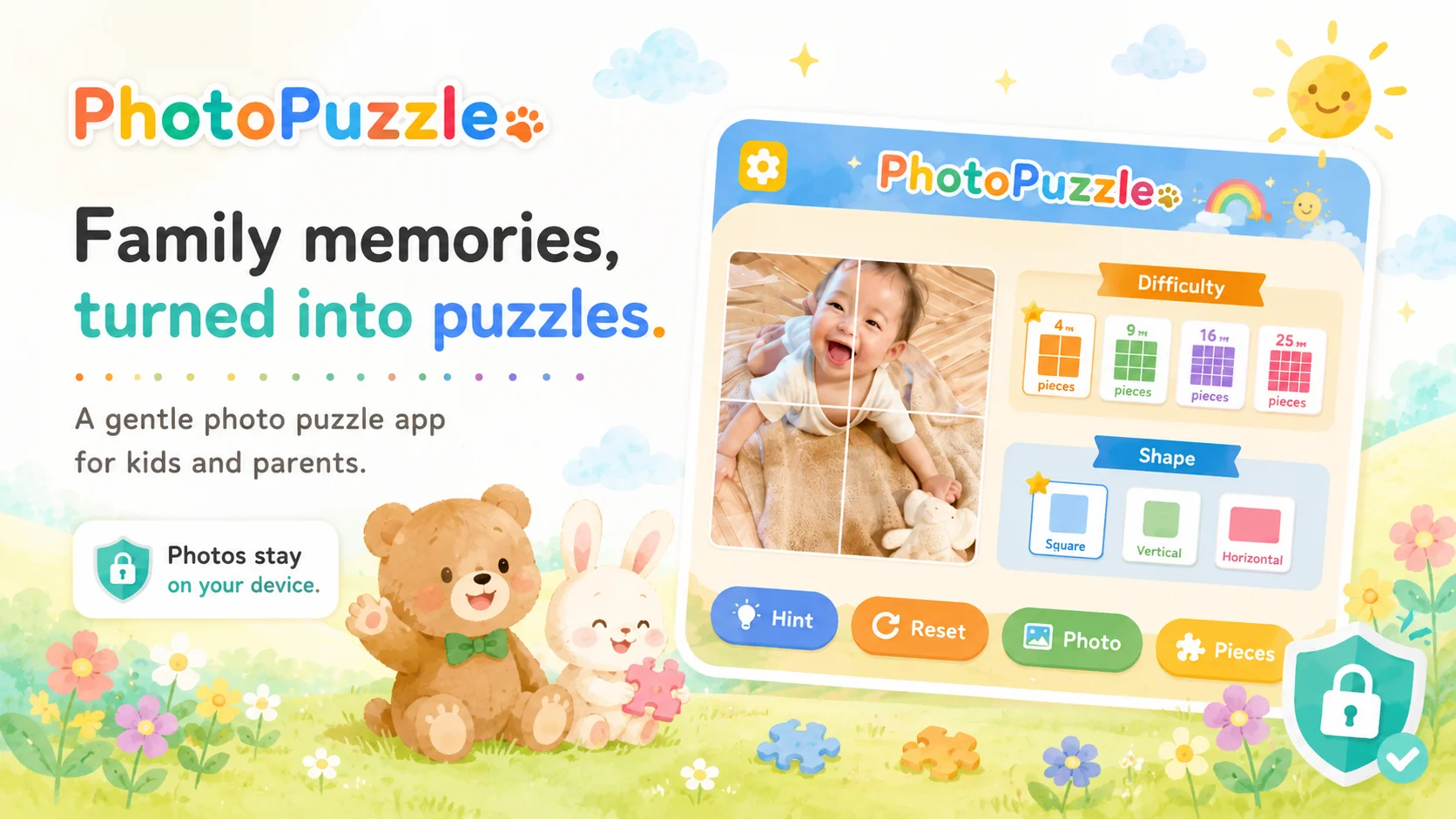
Choose a photo from your library and turn it into a 4-, 9-, 16-, 25- or 36-piece puzzle. The current App Store listing says selected photos are processed on the device, with no ads or in-app purchases.
Good fitNo account is required, and you can change the piece count. The puzzle also works offline.
Watch forCurrently iOS (iPhone/iPad) only — an Android version is in the works.

When the final piece is placed, the selected photo appears complete. Add conversation with questions such as “Where did we take this?” and “Whose photo should we use next?”
For button-by-button instructions, Cube mode and photo-loading help, read our guide to using PhotoPuzzle.
To compare apps with ready-made artwork too, see 12 puzzle apps for kids. For a photo from a shared family album, see how to save it to the device first.
An App That Touches Your Photos — 3 Safety Checks
Do not treat “offline” or “made for kids” as a complete privacy answer. Check these three areas separately.
- 1. Photo processing and permission
Read the store description and privacy policy to learn whether processing happens on the device or after an upload, and whether the app requests full-library or selected-photo access. You can review photo permission later in device settings. - 2. Privacy labels are a starting point
Apple says App Store privacy information is provided by developers. Read the policy too, and use App Privacy Report to inspect network and data access when appropriate. - 3. Check ads, purchases and network use separately
Review ad and in-app purchase disclosures and enable purchase approval. Offline play is convenient, but it does not by itself prove that no data is collected when the device reconnects.
The current PhotoPuzzle App Store listing describes on-device photo processing, no ads or in-app purchases, offline play and “Data Not Collected.” Those statements include information supplied by 39Kids, so use the checks above as well.
For selected-photo access and the difference between app processing and cloud backups, read our parent’s guide to using kids’ photos in apps.
7 Family Play Ideas to Try
The photo you choose and the prompt you give change the activity. Pick one idea that fits your child; there is no need to use all seven.
1. Debut with a photo of the child themselves
For a first puzzle, try a clear photo of the child or another familiar person. A large face and contrasting background provide easier visual clues.
2. Memory-lane puzzles
Use a trip, zoo or school-event photo and ask “Where was this?” or “Who was there?” A recent event gives the family something specific to talk about.
Download the image to the device first, following the album service’s official instructions. For FamilyAlbum, see our photo-saving and puzzle guide. Treat photos shared by relatives with the same care as your own: consider the wishes of the photographer and the people shown before reusing or uploading them elsewhere.
3. Let the child choose a favorite subject
Offer two or three photos of a pet, trains, trucks or a favorite dinosaur figure. A limited choice is easier to navigate than the whole camera roll.
4. Same photo, more pieces
Use one photo at 4, 9, 16, 25 and 36 pieces to change difficulty without changing the picture. Move up after the child completes a level independently and wants another turn.
5. Compare strategies, not only speed
Take turns on the same picture and describe the plan: “I looked for corners” or “I matched the shirt color.” If you use a timer, compare each player with their own previous attempt.
6. At grandma’s: puzzle today’s photo, today
Choose a recent photo with grandparents and take turns placing pieces. PhotoPuzzle’s puzzle features work offline, so Wi-Fi is not required for this activity.
7. The quiet-time game for travel and waiting rooms
Before starting on a train or in a waiting room, agree on a clear ending such as “one completed picture.” Follow venue rules and stop if the child shows eye, posture or motion-sickness discomfort.
Want Something to Keep? Print Services
For a physical gift or keepsake, photo print services can manufacture a jigsaw from an uploaded image. Compare piece count, finished size, age guidance, production time, shipping and the final quote.
Because ordering sends the image to the provider, also read its privacy policy for purpose, retention period and deletion options. You can test candidate photos in an app, then upload only the one you plan to print.
FAQ
Is it really free? Will ads or purchases appear later?
It depends on the app. As checked on October 6, 2026, PhotoPuzzle is free on iPhone and iPad, lists no in-app purchases and describes itself as ad-free. Printing a physical puzzle is a separate service that may cost money. Check the current store listing for any other app.
I’m worried about my child’s photos being sent somewhere.
PhotoPuzzle’s listing says selected photos are processed on the device and not uploaded to an external server. Its App Store label says “Data Not Collected.” Apple notes that privacy labels are based on information provided by developers, so also review permissions, the privacy policy and App Privacy Report where available.
What ages is it for?
PhotoPuzzle is designed for ages 3–9, but experience and touch-screen familiarity affect difficulty. Start together at 4 pieces, then move through 9, 16, 25 and 36 one step at a time.
What kinds of photos do kids enjoy most?
Start with one large, recognizable subject—such as a face, pet or vehicle—and clear color contrast between the subject and background. Letting the child choose from two or three photos can help them get started.
Does it work offline (airplane mode)?
Once the app and photo are available on the device, you can test PhotoPuzzle’s puzzle features in airplane mode. A cloud-only photo may require a connection to download first. Offline operation and data collection are separate checks; review the privacy label and policy as well.
What if I want a physical puzzle to keep?
Photo-gift services can manufacture a physical jigsaw. Price, piece count, shipping time and image-retention policy vary by provider, so compare the quote and privacy policy before uploading a child’s photo.
Conclusion — Choose by Purpose and Photo Handling
There are three practical routes: a free app, a DIY craft and a print service. Choose the app for immediate adjustable play, DIY for the making process, or print for a physical keepsake.
Whichever route you choose, check photo permission or upload terms before starting. For a first digital puzzle, use one clear subject and a low piece count, then adjust after watching the child play.
For a seasonal way to use a family picture, see our Christmas photo puzzle activity.
PhotoPuzzle
PhotoPuzzle is a 39Kids iPhone and iPad app that turns a device photo into 4, 9, 16, 25 or 36 pieces. It is free, with no ads or in-app purchases, and its App Store label says “Data Not Collected.”