12 Best Puzzle Apps for Kids in 2026
Start with the kind of picture and difficulty your child enjoys, then check the current store listing for cost, ads and purchases. These 12 options cover different play styles and family rules.
App-store rankings move, prices change and some download links disappear. That makes an old “best apps” list surprisingly easy to misread.
We rechecked the store links for all 12 entries and the base iOS prices on October 6, 2026. Free content, ads and in-app purchases can change, so use this as a shortlist and confirm those details on the current store page before installing.
What you’ll learn
- What puzzle research does—and does not—show
- A simple starting guide for piece counts
- How to check ads, purchases, privacy and screen use
- 12 current choices with direct App Store and Google Play links
Store links and base iOS prices rechecked October 6, 2026. Ad and purchase details in the comparison were last reviewed August 24; confirm them on the current download page. 39Kids develops PhotoPuzzle.
What research says about puzzle play
Puzzles ask children to compare shapes, rotate pieces mentally and test a solution. Those are spatial tasks, but the research needs careful wording.
A meta-analysis of 217 spatial-training studies found an average training effect on spatial skills. A separate longitudinal study of 53 children found an association between puzzle play at ages 2–4 and later spatial-transformation performance.
Neither result proves that a particular puzzle app makes a child smarter. The second study is small and observational, and digital jigsaws are not identical to physical puzzles. A sensible conclusion is that puzzle apps can provide spatial practice when the difficulty is appropriate and an adult joins the conversation.
1. The thinking brain (spatial reasoning & problem-solving)
Rotating and comparing pieces gives children repeated practice in noticing orientation, edges, corners and part-to-whole relationships. Ask “What tells you this piece goes here?” instead of placing it for them.
2. Hands & fingers (fine motor skills)
Dragging and dropping uses finger control and hand–eye coordination. A screen does not reproduce the grip, resistance or two-handed handling of cardboard pieces, so physical puzzles and crafts still offer different practice.
3. The heart (focus, persistence & confidence)
A short puzzle gives children a visible goal and immediate feedback. Match the piece count to the child so they can try, adjust and finish without the session becoming a struggle.
Describe the strategy you noticed: “You found the corners first” or “You turned that piece and tried again.” This is more specific and useful than a generic “You’re smart.”
4. Connecting with others (language & social skills)
Playing together creates natural chances to use words such as “corner,” “above,” “next to” and “turn.” The conversation matters as much as completing the picture.
Guide by age — finding the “just-right” difficulty
There is no universal piece count for each birthday. Image complexity, piece shape, snapping assistance and previous experience all matter. Use this table as a starting point, then adjust after watching one round.
| Stage | Starting point | What to watch | How to help |
|---|---|---|---|
| First attempt | 4 pieces | Can the child drag, release and recognize the completed picture? | Show one move, then let the child try. Stop while it is still enjoyable. |
| Comfortable with basics | 9–16 pieces | Does the child use color, faces or edges as clues instead of random guessing? | Ask one clue question: “Where is the same color?” or “Can you find a corner?” |
| Ready for a challenge | 25–36+ pieces | Can the child plan—corners first, similar colors together—and recover from mistakes? | Increase one step at a time. Return to the previous level if frustration replaces problem-solving. |
The best level is the one that produces thinking without prolonged frustration. App-store age ratings describe audience suitability; they are not a developmental guarantee.
For more examples that include physical puzzles, see our piece-count guide by age and experience.
How to choose without regret — 5 checkpoints
To pick “the one app for your family” from so many, check these five points.
- 1. Understand “free”
Some apps are fully free; others offer a small free set, a one-time unlock or a renewing subscription. Check the purchase list before starting a trial. - 2. Check ads and purchase controls
Look at both the store disclosure and the screen the child will actually use. Turn on purchase approval before handing over the device. - 3. Start at the lowest useful difficulty
Large pieces and a small count matter more than a wide maximum range for a first-time player. - 4. Treat offline and privacy as separate checks
Offline play is useful for travel, but it does not by itself prove that an app never collects data when connected. Read the privacy label and policy. - 5. Choose a motivating subject
Animals, vehicles, favorite characters or a familiar family photo can all work. Let your child help choose.
12 best jigsaw puzzle apps for kids
These 12 options cover several needs: family photos, simple starters, favorite characters, broad learning libraries and Android-only choices. Links were rechecked on October 6, 2026; detailed business-model notes remain based on the August 24 review.
Disclosure: 39Kids, the publisher of this article, also develops PhotoPuzzle. Verify every app—including ours—on its current store page before downloading.
1. PhotoPuzzleBest for family photos
39Kids
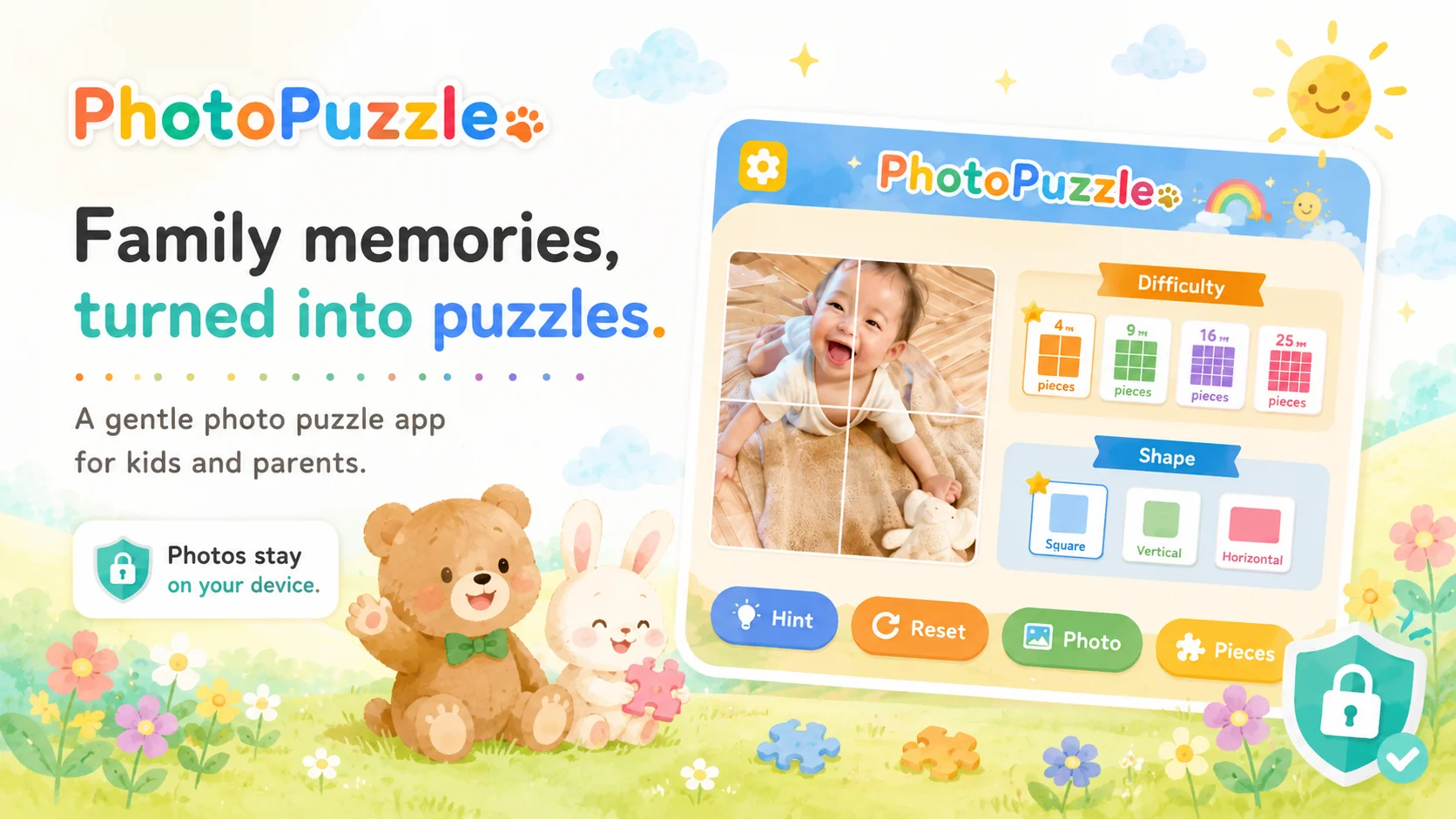
Turn a photo of family, pets or a trip into a jigsaw puzzle with 4, 9, 16, 25 or 36 pieces. The App Store listing says the app has no ads or in-app purchases and processes selected photos on the device.
Good fitA simple way to reuse familiar photos. Free, with no ads or in-app purchases listed.
Watch forCurrently iOS only (an Android version is in the works).
2. Puzzle Games For Kids (RV AppStudios)Best all-free starter
RV AppStudios
Four mini-games—including shape matching and jigsaws—that the developer states are free, with no ads and no in-app purchases. Difficulty is adjustable.
Good fitFamilies who want to avoid ads and purchase screens can try every feature at no cost.
Watch forFairly simple. Pair with another app if you want more variety.
3. Puzzingo
77Sparx Studio
A shape-puzzle collection with animals, vehicles, numbers and more. It says the name of objects as children place them, and the store listing includes several supported languages.
Good fitEight puzzles are available to try for free, with more content sold in the app.
Watch forFull-unlock pricing varies over time — check the current price before buying.
4. Bimi Boo — Puzzle Games for Kids
Bimi Boo Kids Learning Games
An ad-free puzzle collection aimed at ages 2–6, with themes such as animals, vehicles and dinosaurs. The current listing offers monthly and annual subscriptions.
Good fitClear preschool design and many themes, without advertising.
Watch forMost content requires a subscription. Check the trial and renewal terms before starting.
5. The Very Hungry Caterpillar ~ Play & Explore
StoryToys
An official Eric Carle activity collection that includes jigsaws, counting, sorting and other preschool games.
Good fitFamiliar picture-book artwork and several kinds of activity in one app.
Watch forIt is not a jigsaw-only app. The iOS listing has not been updated since 2017, so test it on your current device before buying.
6. Super Puzzle — Kids Jigsaw Game
App Family
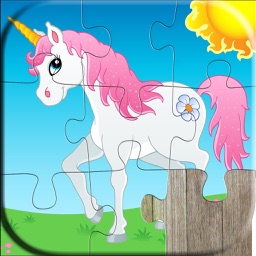
Play vivid scenes (animals, dinosaurs and more) while changing difficulty from 6 to 72 pieces. Misplaced pieces stay on the board, so even little ones feel less frustrated. It also covers slightly older ages.
Good fitWide difficulty range; easy to reuse across siblings.
Watch forNo third-party ads, but it may show promos for the studio’s own apps.
7. Dino Puzzle & Games for Kids
Abuzz
A dinosaur-themed collection with 32 games, including jigsaws, matching and other activities. The Android listing currently discloses ads and in-app purchases.
Good fitA focused theme with several types of game.
Watch forAds and purchase terms differ by platform. Confirm the store disclosure before installing.
8. Jigsaw Puzzle — Tiny Twin Bears
RedinC
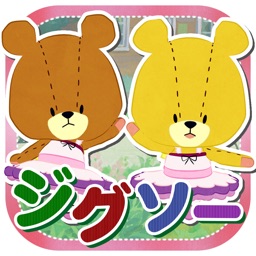
Jigsaws featuring the cute “Tiny Twin Bears” characters. Choose from 100 puzzles with 9 to 100 pieces, and the piece shapes change every time you play.
Good fitFriendly characters kids warm to; a wide difficulty range.
Watch forShows ads; check the current store price if you want to remove them.
9. Baby Shark Jigsaw Puzzle Fun
Pinkfong
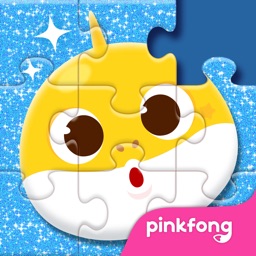
Puzzle fun with the wildly popular Baby Shark. Five levels of play — tracing, mazes, hide-and-seek — with sea creatures, cars, dinosaurs and more.
Good fitAn instantly familiar character from the song. Lots of activity types.
Watch forThe free version shows ads (a Pinkfong Plus subscription removes them).
10. Toddler Puzzle Games for Kids
Bimi Boo Kids Learning Games
Beyond jigsaws, it adds dot-to-dot and animal coloring for plenty of variety. Made by Bimi Boo, with a clearly ad-free, safe design.
Good fitExtra activities keep kids from getting bored. Ad-free for peace of mind.
Watch forFull unlock requires a purchase. Similar in feel to Bimi Boo’s other app (#4).
11. Khan Academy Kids
Khan Academy
A broad early-learning app from a nonprofit, with activities that include problem-solving and puzzles. The current store listing shows no ads or in-app purchases.
Good fitA large free library for families who want more than jigsaws.
Watch forNot a jigsaw-only app. The interface and learning content are in English.
12. Kids' Puzzles
About Fun
An Android puzzle app for ages 3–9 with animals, vehicles and other themes. Google Play shows 5M+ downloads and says it can be played offline.
Good fitMore than 40 pictures are available in the free set, according to the listing.
Watch forContains ads and in-app purchases. No iOS edition was found in this review.
Comparison table
| App | Ages | Price | Ads | Platform | Download |
|---|---|---|---|---|---|
| 1. PhotoPuzzle | 3–9 | Free | None | iOS | App Store |
| 2. RV AppStudios | 3–5 | Free | None | iOS/Android | App Store / Google Play |
| 3. Puzzingo | 1–6 | Free + IAP | Check | iOS/Android | App Store / Google Play |
| 4. Bimi Boo | 2–6 | Free + subscription | None | iOS/Android | App Store / Google Play |
| 5. Very Hungry Caterpillar | Preschool | Free trial + IAP | Check | iOS/Android | App Store / Google Play |
| 6. Super Puzzle | 2–11 | Free + one-time | None* | iOS/Android | App Store / Google Play |
| 7. Dino Puzzle | 2–5 | Free + IAP | Android: yes | iOS/Android | App Store / Google Play |
| 8. Tiny Twin Bears | 4+ | Free + IAP | Yes | iOS/Android | App Store / Google Play |
| 9. Baby Shark | 2–6 | Free + IAP | Yes | iOS/Android | App Store / Google Play |
| 10. Toddler Puzzle Games | 2–6 | Free + IAP | None | iOS/Android | App Store / Google Play |
| 11. Khan Academy Kids | 2–8 | Free | None | iOS/Android | App Store / Google Play |
| 12. Kids' Puzzles | 3–9 | Free + IAP | Yes | Android | Google Play |
Ad and purchase details last reviewed August 24, 2026. “Check” means the disclosure may differ by platform or was not clear enough to summarize as ad-free. *Super Puzzle says it has no third-party ads but may promote the studio’s own apps. Verify current terms before installing.
Using puzzle apps safely
Safety is not a single “kids app” badge. Check the content, the business model, device settings and how the app fits into the rest of the day.
Screen-time guidelines
- WHO guidance says sedentary screen time for age 2 and ages 3–4 should be no more than one hour a day; less is better.
- The AAP’s 2026 policy explanation moves beyond time alone and asks families to consider the child, content, calm, crowding out and communication.
- Agree on an ending before play—one puzzle, one turn or a device timer—and make room for sleep, movement, meals and face-to-face play.
For children under five, stay nearby and talk about the picture. Shared use makes it easier to notice confusing ads, frustration or a difficulty level that needs adjusting.
Settings to prevent ad & purchase trouble
- Prefer a clearly stated no-ad/no-purchase option for younger children, or review the parent gate and subscription terms first.
- Use Guided Access on iPhone/iPad to keep the device in one app when needed.
- On Android, use Google Play purchase approvals for a child’s account.
Apps vs. paper puzzles — which is better?
Neither format replaces the other. Choose the one that fits the moment.
Cardboard pieces provide texture, grip and two-handed manipulation. Apps offer quick difficulty changes, easy cleanup and portability. For children who still mouth small objects, use age-appropriate physical puzzles and supervise closely.
Frequently asked questions
At what age can my child start using puzzle apps?
There is no single starting age that fits every child. Begin with a few large pieces, play together and stop if your child is tired or frustrated. Also check the age guidance on the store listing.
How much time per day is okay?
WHO says sedentary screen time for ages 2 and ages 3–4 should be no more than one hour a day, and less is better. The AAP’s 2026 guidance also asks families to consider the quality, context and conversation around media—not only a timer.
What’s a good number of pieces by age?
Experience and the app’s controls matter more than age alone. A practical starting point is 4 pieces for a first attempt, 9–16 after that, and 25–36 once the child can use the picture as a clue. Move down a level if play turns into guessing or frustration.
Free or paid — which should I choose?
Start free to see how your child responds. If they enjoy it and stick with it, consider a paid version or subscription to remove ads or add content — and remember to set purchase restrictions.
I worry about ads or accidental purchases. How can I keep it safe?
Choose apps that clearly state “no ads / no purchases,” and set up your device’s purchase and age restrictions. Use Guided Access (iOS) or parental controls (Android) for extra peace of mind.
Do puzzle apps really help kids develop?
Research finds that spatial skills can improve with training, and one small longitudinal study found an association between early puzzle play and later spatial transformation skills. That does not prove that one puzzle app raises intelligence, so treat apps as one form of play alongside conversation, movement and physical toys.
Can siblings of different ages share one app?
Apps with adjustable difficulty or age modes can serve a wide age range from a single app. If the age gap is large, using a couple of apps that fit each child also works well.
Conclusion
Choose a puzzle app by checking (1) the lowest useful difficulty, (2) a subject your child wants to solve, (3) ads and payment terms, and (4) privacy information. Start with one short round and adjust from what you observe.
If a familiar picture would suit your child, see how to turn a family photo into a puzzle. If standard jigsaws still feel hard, start with our step-by-step guide for three-year-olds.
PhotoPuzzle
PhotoPuzzle turns a photo on your iPhone or iPad into a 4-, 9-, 16-, 25- or 36-piece puzzle. Its current App Store listing shows no ads, no in-app purchases and no data collected. 39Kids develops the app.
App Store Download for free